SpecWise app icon

SpecWise

Comparison tables customers actually get.

SpecWise turns your product specs into clean, side-by-side comparison tables on your storefront - so shoppers can tell your products apart and pick the right one without leaving the page.

On the Shopify App Store · Free plan available · No code required

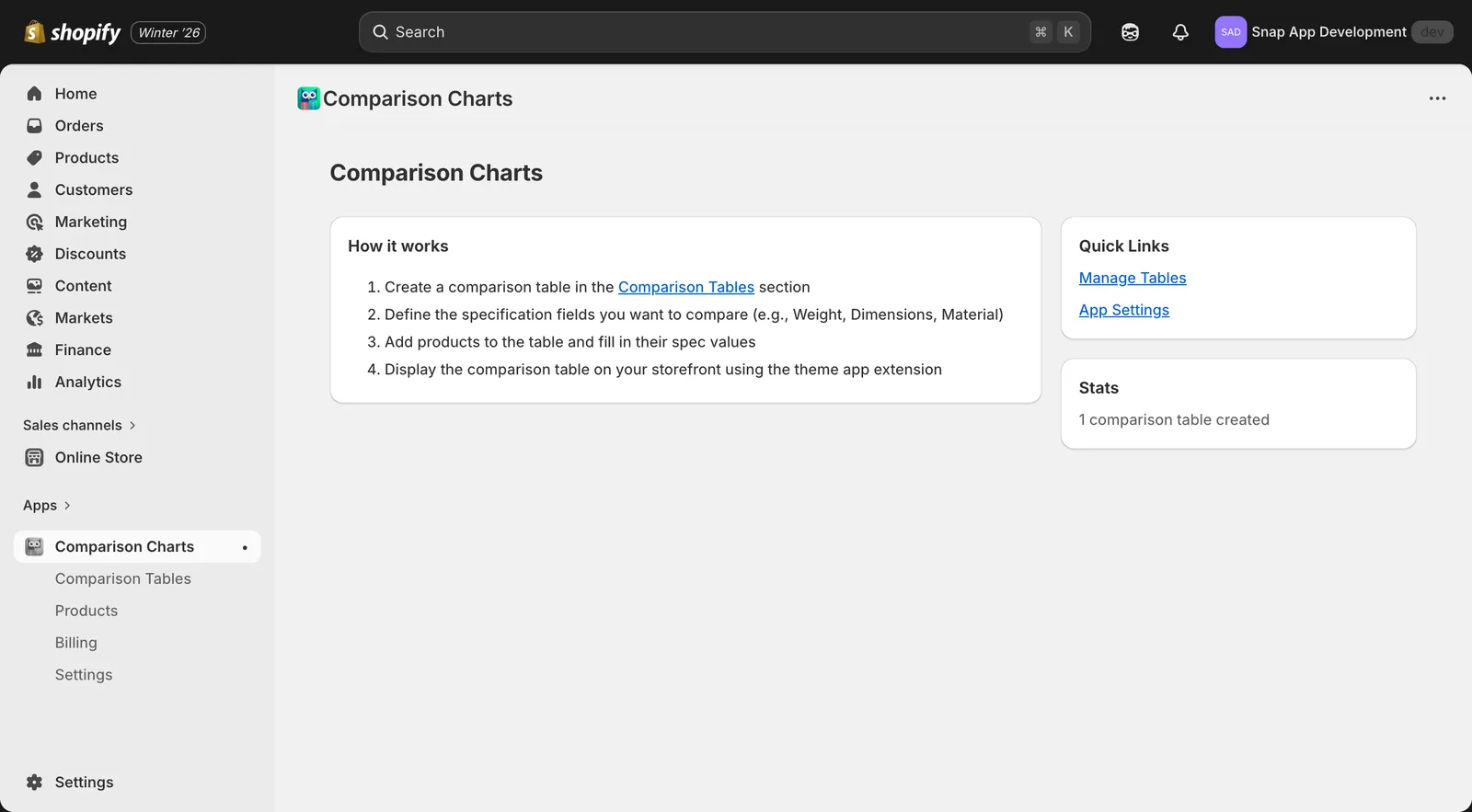
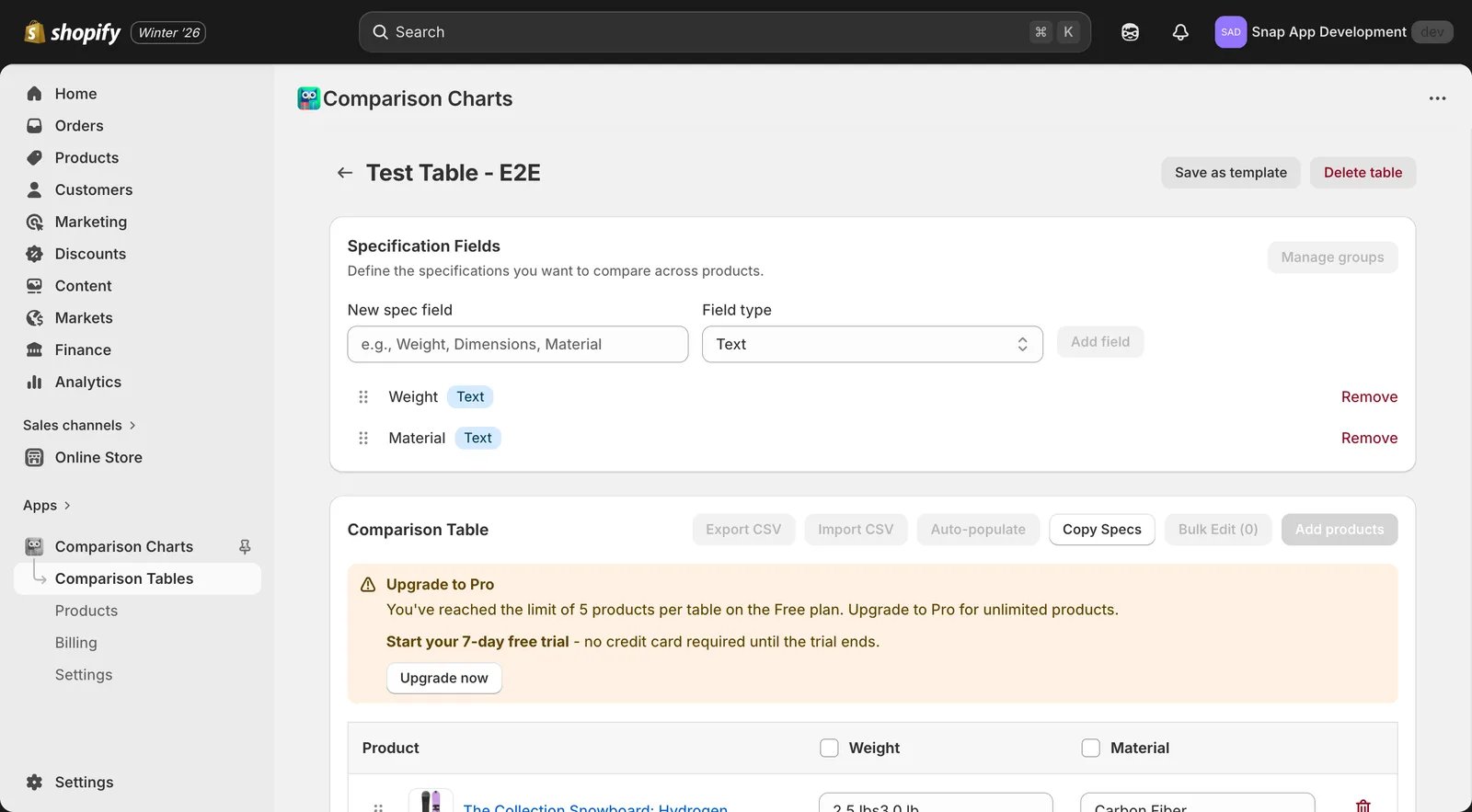
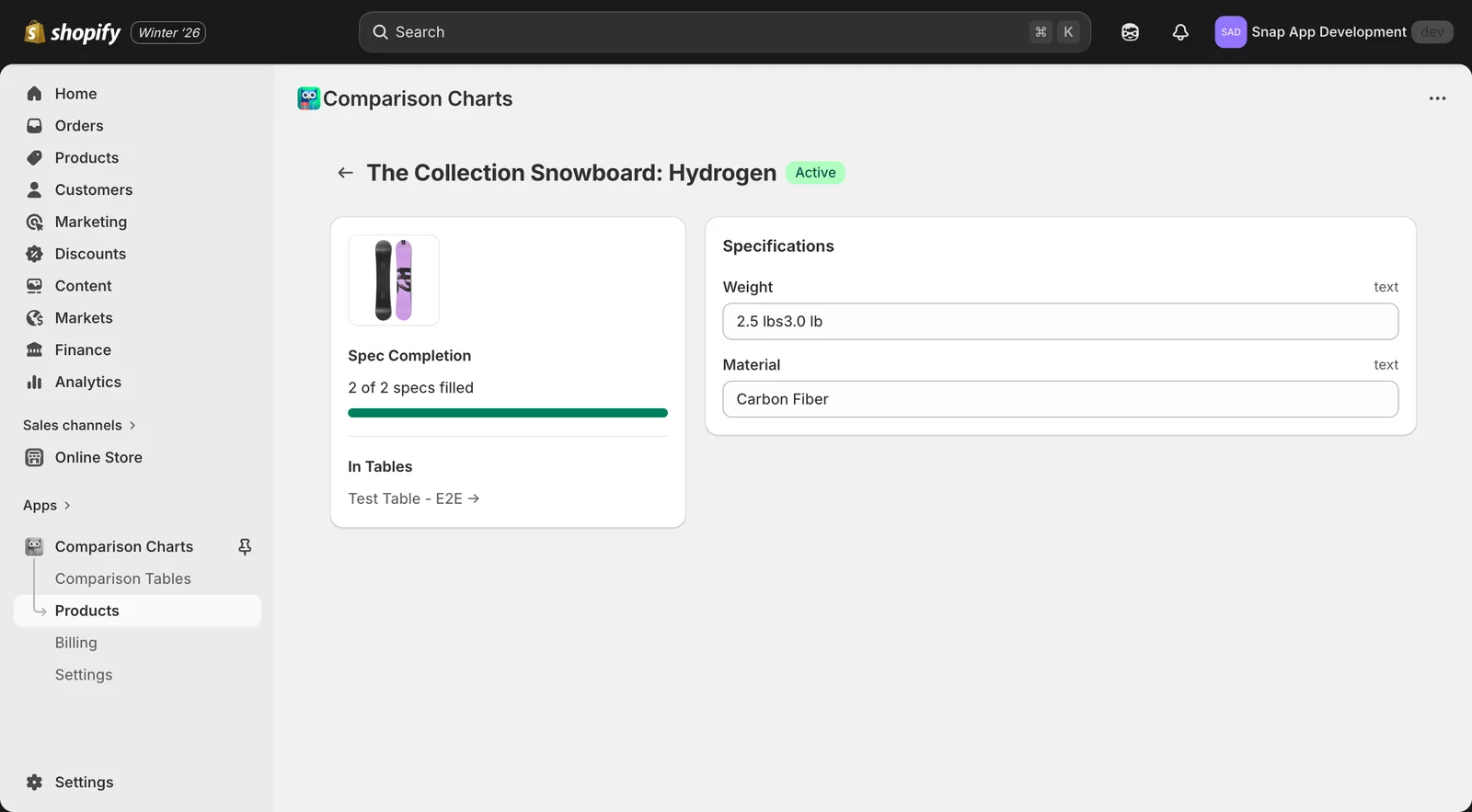
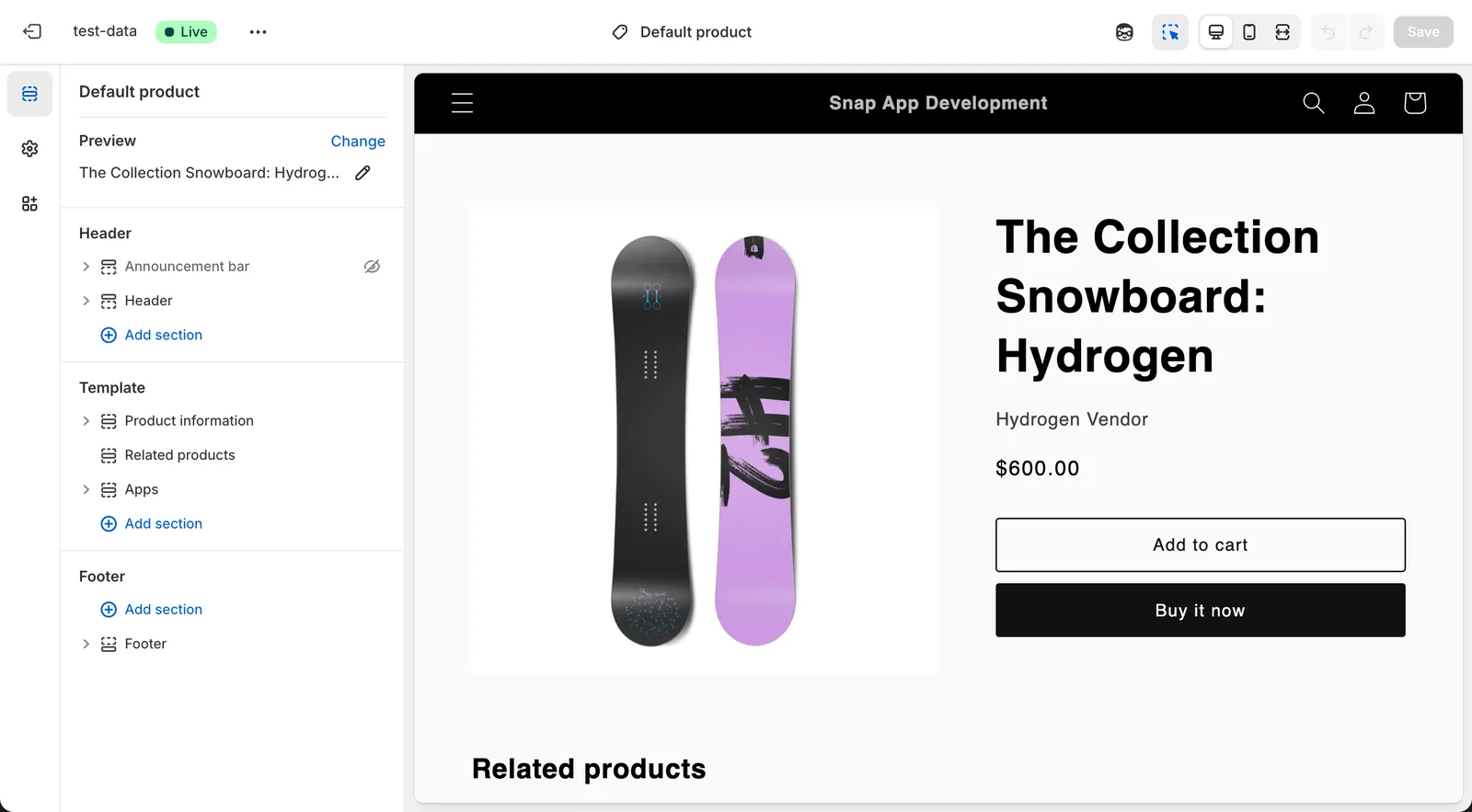
A Look Inside

From spec fields to storefront.

How It Works

From spec sheet to storefront in three steps.

1

Add your specs

Create custom specification fields that fit your catalog, then fill them in by hand or auto-populate from existing Shopify metafields.

2

Build the table

Pick the products to compare, drag to reorder rows and columns, and group related specs so the table reads clearly.

3

Publish anywhere

Drop the comparison table onto any page with the theme app block. It's responsive out of the box - no theme code to touch.

Features

Everything you need to compare.

Custom specification fields

Define exactly the specs your catalog needs - dimensions, materials, capacity, compatibility, anything. Text, numbers, and more.

Drag-and-drop ordering

Reorder rows and columns until the table reads the way you want. Group related specs so shoppers scan them at a glance.

Auto-populate from metafields

Already storing product data in Shopify metafields? Pull it straight into your tables instead of retyping it (Pro).

CSV import and export

Bulk-load specs for a whole catalog or export them for editing in a spreadsheet, then sync back (Pro).

Native theme app block

Drop a comparison table onto any product or landing page from the theme editor. No liquid, no code.

Data stays on your store

Specs are saved in your own Shopify metafields, not a separate database. Your data, under your control.

Pricing

Start free. Upgrade when you grow.

Free

$0forever

  • Up to 2 comparison tables
  • Up to 5 products per table
  • Custom specification fields
  • Storefront theme app block

Includes a small storefront watermark.

Add to Shopify

Billing is handled securely through Shopify. Manage or cancel your plan anytime from your Shopify admin.

FAQ

SpecWise questions, answered.

Does SpecWise work with my theme?

Yes. SpecWise adds a native theme app block, so it works with any Online Store 2.0 theme. You drop the comparison table onto a page from the theme editor with no code required.

Where is my specification data stored?

Your specs live in Shopify metafields on your own store, not in a separate database. That keeps your data portable and under your control, even if you uninstall the app.

Is there a free plan?

Yes. The free plan includes up to 2 comparison tables with up to 5 products each and a small storefront watermark. The Pro plan removes those limits and the watermark for $7.99 per month.

Can I import specifications in bulk?

On the Pro plan you can import and export specs as CSV, and auto-populate tables from product metafields you already have, so you do not have to retype existing data.

Will comparison tables slow down my store?

No. Tables render through a lightweight native theme block and are responsive out of the box, so they load quickly on desktop and mobile.

How does billing work?

Billing runs through Shopify. The Pro plan includes a 7-day free trial, and you can upgrade, downgrade, or cancel anytime from your Shopify admin.